In this section of the software, you can fast and easily design your instrumentation cable according to EN 50288-7. Same as other standards, there are some boxes for cable size and layers above the scroll and some auto calculated information inside the scroll.
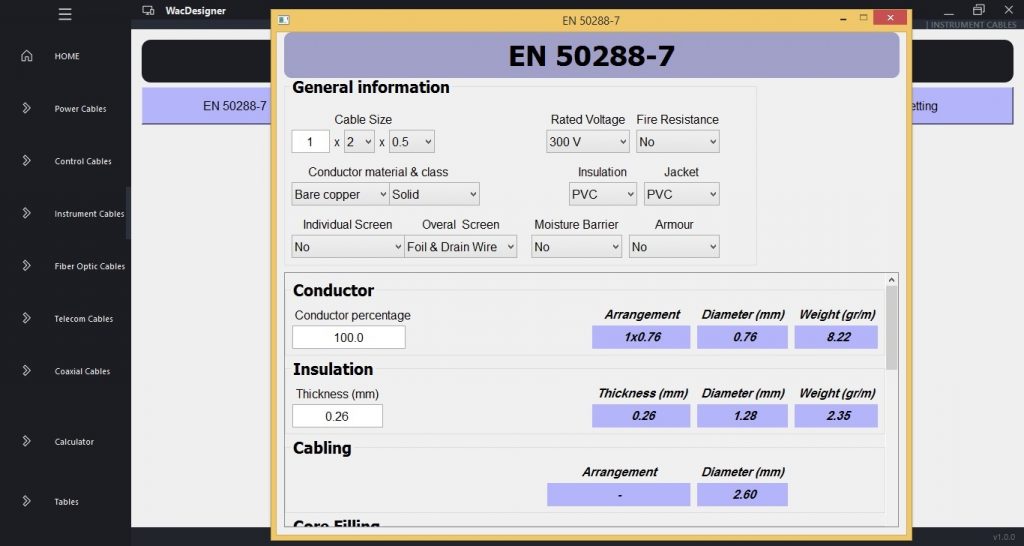
First, enter the cable size and layers above the scroll. It includes rated voltage, fire resistance status, conductor class and material, insulation and jacket material, the type of individual and overall screen, moisture barrier status and armour type. Then, all cable dimensions and weights will be calculated according to the standard and shown inside scroll.
In the left side, you can change parameters of each layer, then all parameters will be recalculated and shown in the right side of the scroll.
Setting Section:
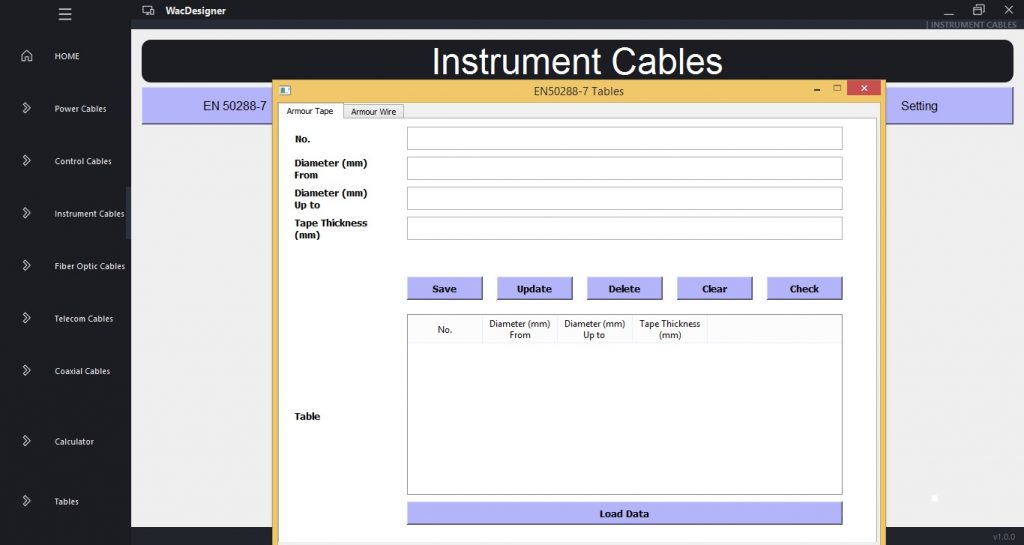
By clicking on setting, a setting window will be run. There are some tabs to modify tables. First, in the above section, enter an ID number of the table and press check to see details. Then you can change details and then update information. Also, you can enter a new ID and save details on the table or delete a row. In the above section all parameters can be changed, and in the below section you can just see the Table.
0 Comments