In this section, you can design all type of copper telecommunication cables including AC, SSC, CUC, CFC, BFC, and also cables with other layers.
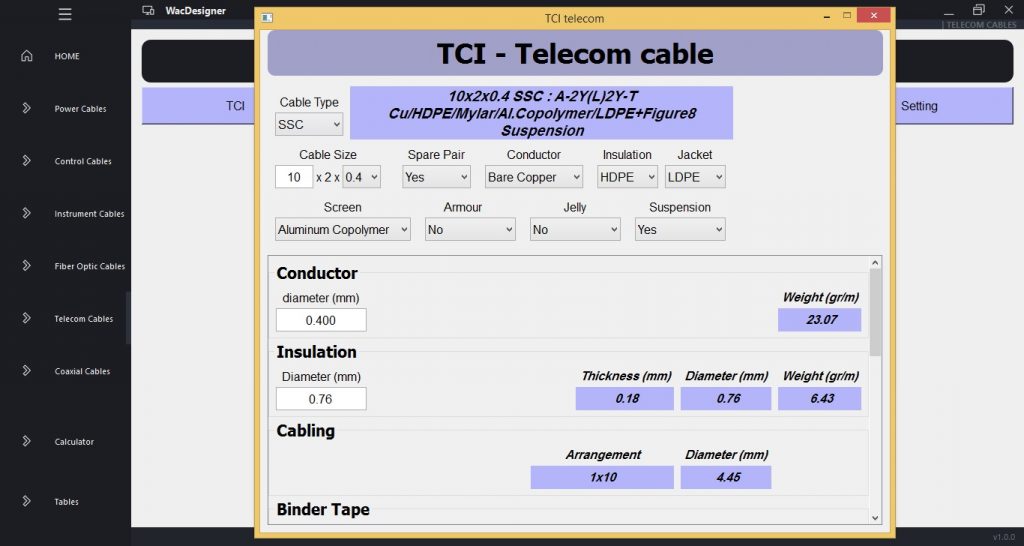
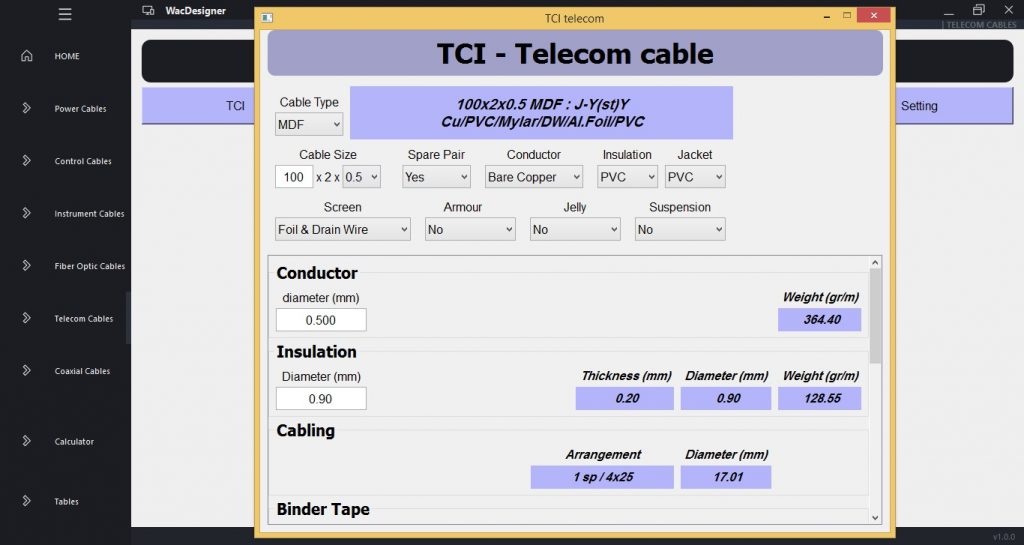
You can chose cable type from cable type box or enter deferent layers of the cable above the scroll. Enter pair number and conductor diameter through cable size. Then, all parameters of the cable will be calculated and shown inside scroll.
Then you can change all cable parameters, then after any change all cable’s dimensions and weight will be automatically recalculated and shown again inside scroll.
Setting Section:
In this section, you can modify some tables according to your default design. this modifications will be taken into consideration in all calculations.
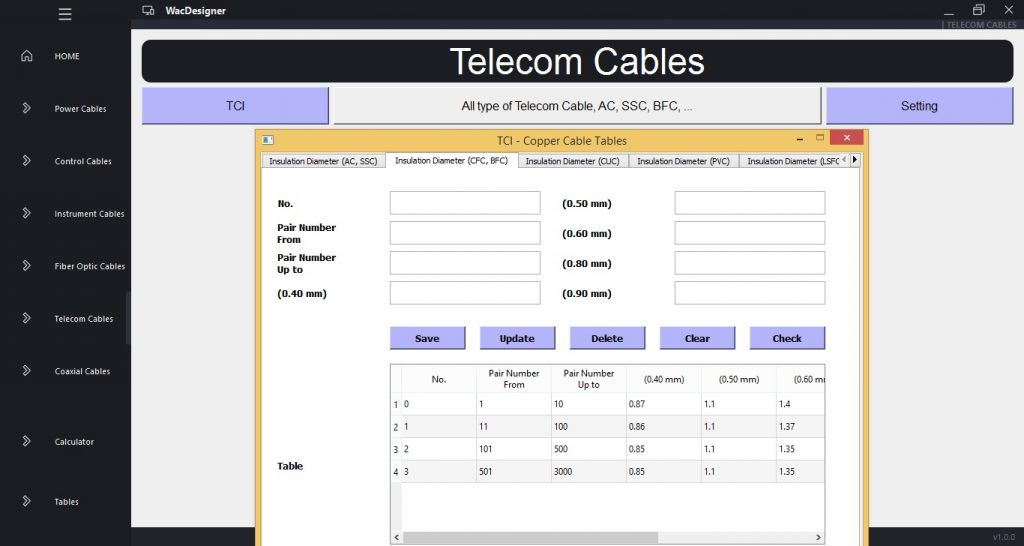
First, in the above section, enter an ID number of the table and press check to see details. Then you can change details and then update information. Also, you can enter a new ID and save details on the table or delete a row. In the above section all parameters can be changed, and in the below section you can just see the Table.
0 Comments